Exploring the Wii U Remote: Design and Impact
Intro
The Wii U Remote stands as a unique piece of technology in the gaming world, carving its own niche in an ever-evolving landscape of input devices. Launched alongside the Nintendo Wii U in 2012, this controller presents a notable shift not just in design, but also in functionality. At first glance, it resembles a conventional game controller but with its standout touchscreen interface, it tries to bridge the gap between traditional gaming and new interactive possibilities.
What sets the Wii U Remote apart is its capacity to enhance gameplay experiences beyond the typical button pressing. This device invites players to immerse themselves further into the game worlds with features like motion control and a second screen, allowing for more engaging interactions. Over the years, the evolution of input devices has led to more sophisticated interactions in gaming, and the Wii U Remote is pivotal to this journey.
However, its impact goes beyond mere mechanics. It reshaped how gamers play together, enabling a more social experience. Players are no longer confined to a single screen; they can strategize, collaborate, and compete in countless ways, redefining multiplayer gaming. To provide a comprehensive understanding, this article dives into the mechanics of the Wii U Remote, compares it with its predecessors and contemporaries, and addresses frequently asked questions.
Through this exploration, we aim to not only inform casual gamers but also to give enthusiasts a deeper appreciation of this distinctive device and its relevance in the larger context of gaming.
Preface to the Wii U Remote
The Wii U Remote, also known as the Wii U GamePad, holds a distinctive place in gaming history. As Nintendo's first foray into high-definition gaming and more interactive experiences, it signified a shift in how players and developers interacted with games. The remote wasn’t just a controller; it was a tool that enhanced the way gamers engaged with their titles, fostering a unique blend of traditional play and innovative mechanics. This multifaceted introduction lays the groundwork for understanding why the Wii U Remote is not only relevant but pivotal in the trajectory of gaming devices.
Historical Context of Wii U Launch
The Wii U was officially unveiled in 2011 and launched in November of the following year. This was a time when gaming consoles were at a crossroads; developers were pushing boundaries in graphics, online interactions, and gameplay mechanics. The Wii U attempted to capture this shifting tide by offering something that felt both familiar and revolutionary. With its tablet-style GamePad, players were encouraged to delve into experiences that combined second-screen functionality with motion controls—a departure from the traditional joystick designs that dominated the market.
Significant milestones of the Wii U's launch include:
- The E3 Reveal (2011): The world saw the innovative GamePad in action, showcasing its potential for off-screen play and touchscreen capabilities.
- Launch Titles: Games such as New Super Mario Bros. U and ZombiU made a strong impression, catering to varied gaming tastes.
- Market Reception: Despite the excitement, the initial adoption was slow compared to its predecessor, the Wii, leading to conversations around its unique input capabilities.
Ultimately, the Wii U launched amid a blend of high hopes and cautious skepticism. It laid the groundwork not just for Nintendo’s future, but also influenced how other companies began to conceptualize their own gaming hardware.
Significance of Input Devices in Gaming
In the world of gaming, input devices are the bridge between player intentions and on-screen actions. They can define the experience. Historically, video game controllers have evolved from simple directional pads and buttons to complex layouts that include motion sensors and touch interfaces. The Wii U Remote epitomizes this evolution.
Consider the advantages of advanced input devices like the Wii U remote:
- Enhanced Interaction: The melding of touchscreen and traditional control enhances player immersion and interaction, creating a more dynamic gaming experience.
- Accessibility: Its design appeals to a wide range of players, including families and casual gamers. The familiar layout reduces barriers to entry into gaming.
- Game Development: Developers can create more engaging and innovative titles by leveraging the capabilities of the Wii U Remote, leading to unique gameplay experiences that simply weren't possible before.
"Input devices are crucial in shaping the gameplay experience; they’re not just tools, but rather extensions of the player’s intent."
The legacy of the Wii U Remote thus extends far beyond mere gaming; it challenges the notion of what a controller can be, setting the stage for future innovations in how we interact with games.
Design Features of the Wii U Remote
Design features play a crucial role in how gamers interact with their devices. The Wii U Remote, with its distinctive aspects, marked a significant shift in controller design philosophy, aiming for both playability and engagement. Understanding these features offers insight into how they contribute to a user's experience. The combination of physical attributes, button layout, and the integration of a touch screen enhance the overall gaming interaction in ways that set it apart from traditional controllers.
Physical Attributes and Form Factor
When we look closely at the physical attributes of the Wii U Remote, several factors come into play. It is designed to fit comfortably in the gamer’s hand, allowing prolonged use without causing strain. The remote's size is noteworthy; it feels substantial yet lightweight enough to maneuver easily. The design is slightly thicker than a standard controller, which accommodates the built-in screen. This added dimension also provides a more robust feel, something gamers often appreciate.
Moreover, the ergonomics of the remote includes comfortably positioned grips and contours that align with how users naturally hold their devices. This design reduces fatigue and allows for a smoother transition between intense gameplay and casual navigation. The balance of the remote ensures it doesn't feel top-heavy, thanks to the strategic placement of weights within its structure.
Button Layout and Accessibility
The button layout of the Wii U Remote takes player comfort into account. The arrangement is intuitive, placing frequently used buttons within easy reach of the thumbs. Consequently, players can access essential controls without shifting their grip much. The buttons are also designed with distinct textures that help players identify them by touch alone. This can be especially handy during heated gaming moments.
Accessibility is another consideration in the button configuration. The remote integrates several configurable buttons, allowing players to customize control schemes to suit their individual preferences. Whether you are a casual player or a serious gamer, these options can significantly enhance gameplay. Additionally, the remote features a built-in microphone, which not only facilitates voice commands but also provides a new layer of interaction, making communication with team members in multiplayer settings seamless and effective.
Screen Integration and Touch Capability
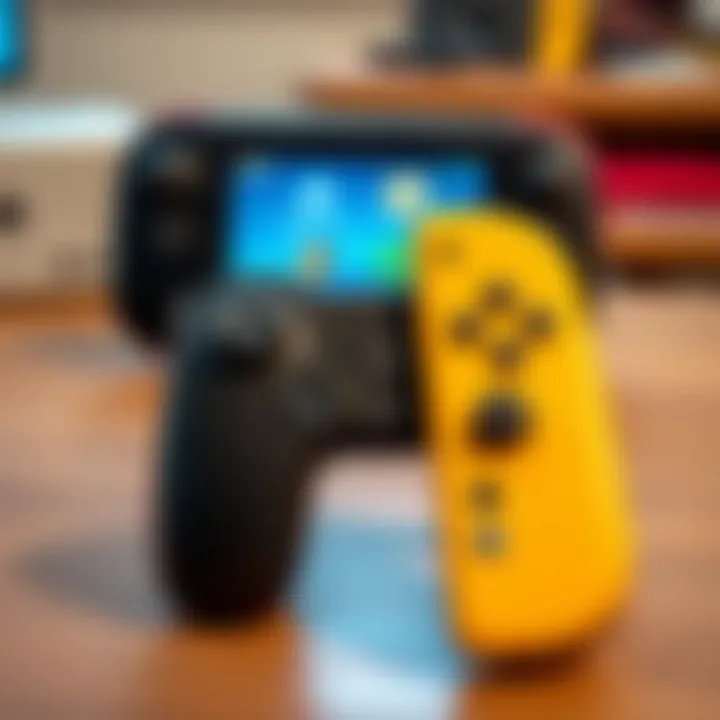
Arguably one of the most innovative features of the Wii U Remote is its integration of a touch screen. This aspect adds layers of functionality previously unseen in gaming controllers. The 6.2-inch screen allows for varied gameplay options, such as displaying maps, inventory, or even entire menus without cluttering the main display on the television. This means more tactical decisions can be made without disrupting the flow of the game.
Touch capability opens up avenues for interactivity. Players can use gestures, taps, and swipes to engage with their games in a way that feels more immersive compared to traditional inputs. The screen responsiveness has been tailored to minimize lag, ensuring that actions occur in real-time, fundamentally improving the dynamic feel of gameplay.
Summary
The design features of the Wii U Remote go beyond aesthetic value. They fundamentally shape user experience, emphasizing comfort, accessibility, and innovation. From the physical attributes that cater to long gaming sessions, to the intuitive button layout that simplifies interaction, and the cutting-edge touch integration – every element is designed with the player in mind. By understanding these features, gamers can better appreciate how the remote enhances their overall gaming experience.
Functionality of the Wii U Remote
Understanding the functionality of the Wii U Remote is crucial for grasping how it reshaped gaming experiences. The remote isn't just a tool for control; it serves as a conduit between the player and the game world. Several core elements define this functionality, including motion controls, sensor technology, and the seamless interaction it fosters with games and software.
Motion Controls and Sensor Technology
The Wii U Remote introduces a sophisticated tier of motion control that was pioneering for its time. This feature allows users to engage in gameplay through natural movements. Unlike traditional controllers, which rely solely on buttons and sticks, the Wii U Remote's gyroscopic sensors and accelerometer empower players to truly immerse themselves in their games. Players can swing, point, and tilt the controller to dictate on-screen actions, transforming mundane activities into dynamic experiences.
For example, imagine playing a racing game where tilting the remote to steer feels as intuitive as breaking an egg with your hands. This physical interaction lends itself to a unique gaming rhythm, requiring slight adjustments and interpretations of continuous movements, making gaming feel less like an act of button-mashing and more like an embodiment of the gameplay.
Benefits of Motion Controls
- Enhanced Immersion: The natural movements enhance emotional connection with the game.
- Varied Gameplay Experience: Players enjoy different ways of interacting, making gaming less repetitive.
- Accessibility for Diverse Players: The remote’s design allows for engaging play for people of all ages and skill levels.
In summary, the motion controls and sensor technology within the Wii U Remote didn’t just add flair; they created a more varied and intuitive gaming experience.
Interaction with Games and Software
The interaction between the Wii U Remote and titles available on the console is where the device shines. It's designed to leverage both its motion capabilities and the integrated touchscreen. This allows for a richer, multi-faceted gameplay experience. Each game can approach the usage of the remote differently, tailoring it to best suit its mechanics.
Take, for instance, Super Mario Maker. Players use the touchscreen to place blocks and adjust levels while simultaneously controlling Mario’s movements with the traditional buttons. This dual-functionality not only elevates interactivity but also encourages creativity, allowing players not merely to consume games but to create them as well.
Moreover, the seamless shifting between touchscreen inputs and traditional controls could be considered an artistic flourish in game design. It’s like a painter picking the right brush to ensure the masterpiece comes to life — in this case, the remote itself is just the brush, while the game developers dictate how the canvas is approached.
Key Aspects of Interaction
- Touchscreen Integration: Users can quickly navigate menus and access controls with a simple tap.
- Innovation in Gameplay: Developers are incentivized to think outside the box, leading to unique game mechanics.
- Flexible Control Schemes: The versatility allows gamers to adapt their methods according to what feels most comfortable.
The functionality of the Wii U Remote not only redefined how users approach gaming but also set a precedent for future gaming input technologies, offering a blend of traditional and innovative interactions.
Comparative Analysis with Other Controllers
When examining the landscape of gaming controllers, the Wii U Remote stands out due to its distinctive features and functionalities. This comparative analysis provides a deeper context for understanding the evolution and impact of input devices in gaming. Analyzing how it stacks up against both its predecessor, the Wii Remote, and other console controllers reveals not only its unique advantages but also pinpoints areas that left both developers and players with mixed feelings. By juxtaposing these controllers, we can better appreciate what the Wii U Remote brought to the table and how it paved the way for future innovations.
Comparing Wii U Remote to Wii Remote
The relationship between the Wii U Remote and its predecessor, the Wii Remote, is akin to an artist's progression over time. While the original Wii Remote was revolutionary for its motion-sensing abilities, introducing gaming that blended physical movement with virtual action, the Wii U Remote refined and expanded upon these capabilities.
- Functional Enhancements: The Wii U Remote is equipped with a second screen that provides additional information right at the player’s fingertips. This contrasts sharply with the single, simple interface of the Wii Remote. For instance, in games like Zombie U, players could inventory weapons and strategy seamlessly without pausing the game, enhancing immersion.
- Improved Controls: The addition of a joystick and more buttons on the Wii U Remote gave developers greater flexibility to create more complex control schemes. Players were no longer limited to a few motions; they had an array of input options at their disposal.
- Ergonomics: The improved design of the Wii U Remote made it more comfortable for extended play sessions, addressing a common complaint about the Wii Remote's shape which was often criticized for being less ergonomic. The new layout also factored in the feedback from the gaming community about creating a more user-friendly experience.
Wii U Remote vs. Other Consoles' Controllers
In the grand scheme of gaming technology, the Wii U Remote can be thought of as a bridge between traditional gaming controllers and the touch-sensitive devices that are becoming more common today. Here’s how it holds up against some competitors:
- PlayStation DualShock 4: The DualShock 4 is known for its responsive analog sticks and touchpad, which introduce their unique dimension to gameplay. On the surface, the Wii U Remote might seem to lag behind, but its touchscreen interface provides a different kind of interactivity that some gamers find refreshing. In action games, for instance, the dual functionalities allow diverse gameplay mechanics, leading to a fun experience that is unique to Nintendo.
- Xbox One Controller: With its focus on high precision and comfort, the Xbox One controller is popular for first-person shooter fans. The Wii U Remote, in contrast, leans into a more casual/geared towards family gaming experience. For social gatherings or family game nights, the ease of access offered by the Wii U Remote often trumps the more precise but less forgiving nature of the Xbox controller.
"Controllers are not just a tool; they are the gateway to an immersive experience in gaming—making the difference between just playing and truly engaging with virtual worlds."
Despite their differences, each controller has strengths in gameplay, ranging from competitive gaming to casual fun. The essence of a controller often lies in how well it resonates with its user base, and the Wii U Remote, while distinct, carved out its niche that showcased Nintendo’s innovative spirit.
Ultimately, understanding how the Wii U Remote compares to its counterparts serves to highlight why it was, and remains, a significant player in the evolution of gaming technology.
User Experience with the Wii U Remote
Examining the user experience with the Wii U Remote is pivotal for understanding how players of various skill levels interact with this unique controller. Unlike conventional game controllers, the Wii U Remote, with its built-in screen and motion-sensing capabilities, offers an impressively different play style. Users find that how they engage with games can significantly alter their overall experience, from casual gaming sessions to competitive play.
User Feedback and Reception
The reception of the Wii U Remote has been a mixed bag, with players expressing both excitement and reservation. Many praised its innovative design; the integration of a touchscreen for gameplay was seen as a game-changer. On gaming forums like Reddit, enthusiasts shared their experiences relating to the intuitive controls and how the added screen improved immersion in games. However, not all feedback was glowing. Some users felt that the remote's size and weight, particularly during prolonged use, could lead to discomfort. Reports of connectivity issues during critical gameplay moments also contributed to a more critical view.
"The Wii U Remote made me feel like I was part of the game, especially in titles like Zombie U, but I sometimes battled with connection lags. It's a balancing act."
This duality in feedback reflects a broader trend in gamer sentiment toward evolving technology. While many appreciate the new dimensions it brings, challenges remain that impact user experience directly.
Common Issues and Solutions
Understanding user experience also means addressing common issues encountered with the Wii U Remote. Here are a few prevalent problems and suggested solutions:
- Connectivity Problems: Players often report lag or disconnections. To remedy this, users can ensure their console’s firmware is updated and try repositioning the console or the remote to minimize obstacles.
- Battery Life: The weight of the remote can increase notably when low on battery. Regularly charging the remote and investing in rechargeable battery packs can enhance longevity during gaming marathons.
- Screen Sensitivity: Some users find the touchscreen less responsive at times. If this occurs, cleaning the screen gently with a soft cloth can improve sensitivity.
Addressing these issues proactively can make a world of difference, enhancing user satisfaction and smoothening the overall gaming experience.
Best Practices for Optimal Use
To fully leverage the capabilities of the Wii U Remote, adhering to best practices can optimize performance. Families and serious gamers alike can benefit from these tips:
- Calibrate Regularly: Make it a habit to calibrate motion controls before starting any gaming session. This simple step can reduce frustration and improve responsiveness.
- Familiarize with the Interface: Spend time exploring the menu layouts and touch commands. Getting comfy with these aspects can lead to newfound efficiencies in gameplay.
- Engage in Cooperative Games: Using the Wii U Remote in multiplayer games can elevate the experience, especially with titles designed for cooperative gameplay. This encourages interaction and teamwork, making every game night more memorable.
By incorporating these practices, players can enjoy the full extent of what the Wii U Remote has to offer, turning flaws into strengths and maximizing enjoyment.
When looked at in totality, the user experience provided by the Wii U Remote showcases both challenges and triumphs. This unique controller undoubtedly pushed the envelope of gaming but identifying its quirks and finding solutions helps it shine brighter in the gaming universe.
Impact on Game Development
The advent of the Wii U Remote brought about a considerable shift in how games are developed. Its unique capabilities and control schemes influenced various aspects of game design, offering developers an opportunity to create more immersive experiences that were not possible with traditional controllers. This section explores the significant facets of this impact, showcasing both the advantages and hurdles brought by the Wii U Remote.
Influence on Game Design
The Wii U Remote encouraged designers to think outside the box, pushing boundaries of conventional gameplay. Developers started integrating various features such as motion controls and touch sensitivity, which fostered innovation in design. Some of the standout elements include:
- Dynamic Interaction: With the touch screen on the Wii U Remote, game developers could implement quick access to menus or context-sensitive actions. This redefined how players interacted with the game world, allowing them to manipulate gameplay elements in a more tactile way.
- Layered Gameplay Mechanics: The use of dual screens added another layer to portrayal and mechanics. For example, games like Zelda: Wind Waker utilized the remote to display maps and inventory, reducing clutter on the main screen and enriching player experience.
- Enhanced Local Multiplayer: The asymmetrical gameplay design enabled by the Wii U Remote meant that players could engage differently on the same platform. This was evident in titles such as Nintendoland, where one could be a traditional character on the TV while another used the remote for a unique experience.
The creativity sparked by the Wii U Remote has had lasting implications, manifesting in games that challenge traditional notions of player interaction.
Integration in First-Party Titles
Nintendo's first-party titles have often led the charge in utilizing new technologies, and the Wii U Remote was no exception. Games designed specifically for the system showcased the potential of this innovative controller:
- Super Mario 3D World: This platformer used the Wii U Remote to allow for new mechanics like "Cat Mario", offering players a fresh experience while leveraging the unique features of the controller.
- Splatoon: With its focus on precision aim through motion controls, the game redefined competitive shooting, making it accessible and intuitive for players of all levels.
- The Legend of Zelda: Breath of the Wild (although primarily for Switch, its roots and influence stemmed from the Wii U): The fundamental mechanics laid down in the Wii U version leveraged the remote’s capabilities, setting the stage for its sequel and pushing boundaries of open-world game design.
These titles underline how the Wii U Remote not only influenced gameplay but also how it crafted standout experiences characteristic of the Nintendo brand.
Third-Party Adaptation Challenges
While first-party titles had a smoother integration into the Wii U landscape, third-party developers faced several challenges that hampered them from fully embracing the Wii U Remote's innovations:
- Learning Curve: Many developers were accustomed to more conventional controller layouts. Adapting existing games and designs to incorporate motion or touch controls often resulted in clunky implementations or forced mechanics that didn’t resonate with players.
- Resource Allocation: Smaller studios, in particular, struggled with the resource investment required to adapt their titles specifically for the Wii U Remote’s features. Limited budgets meant many didn't pursue the adaptations passionately, leaving untapped potential.
- Market Viability: With the expansive landscape of console gaming, third-party publishers often weighed the risk of investing in unique designs against potential sales. The Wii U Remote’s novelty didn’t always guarantee profitability for developers, leading to hesitation in fully employing its capabilities.
Despite these challenges, some titles did successfully leverage the unique features of the Wii U Remote, highlighting a mixed but ultimately positive outcome for game development.
The Future of Remote Technology in Gaming
The game industry is forever changing, and remote technology plays a key role in that transformation. As we look ahead, the evolution of controllers blends comfort, precision, and new capabilities. Gamers today expect more from their devices—the focus isn't just on using a controller, but an entire experience that enhances immersion and engagement. As such, thinking about the future of remote technology is important for understanding gaming trends and player expectations.
Trends in Gaming Controllers
In recent years, several noticeable trends have emerged in the design and functionality of gaming controllers. Here are a few worth watching:
- Hybrid Functionality: The line between traditional controllers and other input devices like touchscreens is getting blurrier. Tablets and smartphones are often used in tandem with console gaming.
- Ergonomics and Comfort: Manufacturers are focusing on how controllers feel in a player’s hands. Comfort is a priority now, with varied grip designs and weight distribution.
- Adaptive Triggers: Many new controllers incorporate technology that allows for variable resistance. This can change based on the game, offering a more tactile experience.
- Touch and Gesture Input: We’re seeing more controllers integrating touch panels or gesture sensitivity, similar to the Wii U Remote’s screen functionality. This signals a shift to more intuitive controls.
- Connected Devices: More devices are linking up through online ecosystems. The integration of voice commands and smart home devices in gaming is another burgeoning field.
These trends indicate a major pivot in how input devices are perceived and utilized in gaming.
Potential Innovations Inspired by the Wii U Remote
The Wii U Remote introduced a slew of features that sparked ideas for future innovations. As we look at what may come next, some exciting prospects appear:
- Enhanced Augmented Reality Experiences: The blend of physical and digital realms is becoming a hot topic in gaming. Future remotes may leverage augmented reality to enhance gameplay.
- Advanced Haptic Feedback: Leveling up the tactile feedback through advanced sensors could allow players to feel the game environment more realistically. Imagine feeling the texture of a virtual road or the rumble of a distant explosion in your hands.
- More Intuitive Interaction Models: Future remotes might offer more ways to interact with games using unique gestures or multi-touch interfaces, making controls more natural and intuitive.
- Cross-Platform Compatibility: Imagine a controller that seamlessly works across various consoles and devices, allowing for a unified gaming experience.
In summary, the innovations inspired by the Wii U Remote extend beyond mere advancements in technology. They set the foundation for what gamers can expect in the coming years, focusing on deeper immersion and connection.
"As technology evolves, so does the way players interact with games. The future of remote technology is not just about gaming; it's about weaving a more engaging narrative through controls."
Looking forward, it’s clear that the gaming landscape will be shaped by these trends and innovations, paving the way for what’s next in remote technology.
Finale
The conclusion of an article serves as a crucial capstone that distills the information presented and reflects on its significance. In the case of the Wii U Remote, it's about synthesizing the various threads woven throughout the guide and emphasizing the relevance of this unique controller in the broader landscape of gaming.
Summary of Key Insights
As we’ve explored, the Wii U Remote represents a significant innovation in video game input devices. Key insights that emerge from our deep dive include:
- Integration of Technology: The remote’s motion control features marked a tangible shift towards future-oriented gaming. It integrated traditional buttons with gyroscopic technology, allowing for varied gameplay styles.
- User Experience: Feedback from users highlighted both the strengths and weaknesses of the device. The remote’s touch screen offered novel interactions, yet some users faced challenges with responsiveness, particularly in high-octane games.
- Impact on Game Design: The Wii U Remote has influenced how developers create games. Its unique capabilities encouraged more interactive gameplay. Developers learned to design not only for sheer visuals but also for engaging tactile experiences.
- Legacy Considerations: As technology marches forward, the principles found in the Wii U Remote lay a foundation for modern controllers. Its concepts can be seen in devices like the Nintendo Switch’s Joy-Con controllers, which continue to evolve the relationship between player and game.
Final Thoughts on the Wii U Remote's Legacy
Looking back at the Wii U Remote, it’s clear that it is not merely another piece of hardware; rather, it became a symbol of Nintendo’s attempt to redefine gaming experiences. While it may not have achieved the widespread popularity of its predecessor, the Wii Remote, it paved the way for the integration of touch and motion in ways still relevant today.
The future of gaming controllers seems steered by the ideas first introduced with the Wii U Remote. It calls attention to a direction in which gaming could head, one that values innovation alongside user-centered design. As time unfolds, the influence of the Wii U Remote may shine brighter than initially anticipated. Bouncing back to the essence of gaming, it reminds us that every input device has the potential to reshape our interaction with virtual worlds, offering deeper immersion and engagement across generations.
"The essence of gaming devices isn’t just in what they do, but in how they transform the way we connect with our favorite stories and adventures."
In summation, the Wii U Remote's legacy lies not just in its design, but in its visionary strides toward a more interactive and experiential gaming future. To explore more about the ongoing evolution of gaming technology, links to deeper discussions can be found on Wikipedia, Britannica, and other relevant forums like Reddit.
Ultimately, this comprehensive guide underscores the vital role of input devices in shaping our gaming experiences, ensuring that the conversation about the Wii U Remote continues to resonate with enthusiasts and developers alike.